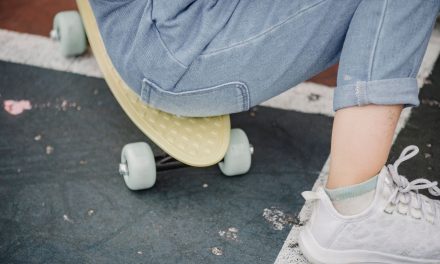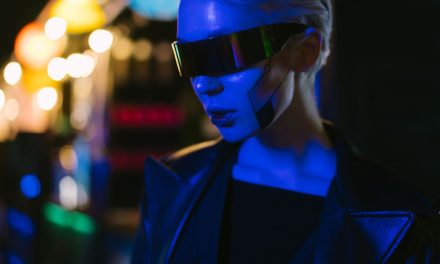
If you need a fast way to produce short, cinematic social clips without a location shoot, the Raindance AI trend delivers. It recasts the two-person waterfront scene from “Raindance” (Dave ft. Tems) by combining two identity photos with a motion reference to generate a photoreal video that matches the original scene’s framing and beats.
This workflow translates well to branded creative, fan edits, or attention-grabbing social posts—but it also raises production and rights questions. Below is a focused, step-by-step guide built from a tested Seedance 2.5 workflow: what to prepare, how to run the generation, where quality issues typically appear, and the rights checks teams must add before publishing.
What you need and why each asset matters
At a minimum, prepare three assets:
- Two identity photos: One for each role in the scene. These should show the face clearly (front or slight three-quarter angle), without heavy filters or obstructing accessories. The generation model uses these images to preserve facial features, hair and proportions.
- A motion-reference video: A clean clip of the Raindance scene or a movement you want to replicate. Convert it into a simple outline or sketch so the model copies motion, mouth timing and camera moves—not visual styling.
- A post-edit template: A short-form template pre-aligned to the Raindance audio so your generated clip hits the beats when you swap the placeholder video.
Technically, identity photos anchor who appears; the motion reference controls choreography and framing; the template preserves audio alignment for platforms such as TikTok, Instagram Reels and YouTube Shorts.
Step-by-step workflow
1. Build reliable character references
Create one clean reference portrait per subject. Prefer waist-up or head-and-shoulders images on a neutral background with soft, even lighting. If you’ll produce multiple edits, standardize outfits in these reference sheets—treat each sheet as the visual source of truth for the model.
For better consistency, generate multi-view character sheets (front, three-quarter, profile, full body). More consistent visual inputs reduce proportion errors and clothing mismatch across cuts.
2. Convert the Raindance clip into a sketch-style motion reference
Transform the original Raindance sequence (or your chosen performance) into a simple black-and-white outline or line-art motion clip. The goal is to isolate movement and camera behavior: where each person stands, how they move, and when close-ups occur. Keep the sketch free of facial or styling detail so the model will not copy the original performers’ visual traits.
3. Generate the video in a reference-to-video model
Using a multi-reference model such as Seedance 2.5, upload the two character sheets and the outline motion clip. Instruct the model to:
- Use the sketch only for motion, blocking, mouth-sync and camera timing.
- Replace the first performer in the motion clip with the first identity reference and the second performer with the second reference.
- Produce a photoreal, live-action output that preserves facial identity, hair and clothing from the character sheets while matching the sketch’s motion and camera behavior.
Run iterative generations and check for these common failure points: unrealistic hands, mismatched eye lines, unnatural scale between subjects, inconsistent skin texture or clothing across cuts, and poorly timed mouth movements.
4. Place the generated clip into the Raindance template and fine-tune
Replace the placeholder layer in your Raindance template with the generated clip. Play the edit and verify that gestures and close-ups land on the intended beats. If timing is slightly off, slide or trim the clip rather than changing its playback speed—trimming preserves motion fidelity. When alignment is correct, export using the platform settings you need and review the final file for visual artifacts.
Practical and legal considerations
- Music licensing: The trend uses “Raindance” by Dave ft. Tems. For personal posts you may rely on platform-provided clips, but for commercial or branded content secure rights or choose a licensed substitute. Audio rights are separate from the visual generation.
- Likeness and IP: Recasting celebrities or fictional characters can create clearance obligations. For commercial use, obtain permission to use a person’s likeness or a copyrighted character.
- Misleading content and disclosure: AI-generated clips can look convincingly real. If an edit might be mistaken for genuine footage, follow platform guidance and consider transparent disclosure to avoid deception or brand-risk.
- Quality control: Small details—hands, jewelry, subtle expressions—remain challenging. Use higher-quality character sheets and multiple generation passes rather than relying on a single run.
For production teams scaling these edits: standardize your reference-sheet process, keep a vetted library of licensed audio alternatives, and add a compliance step focused on likeness/IP risk before any publish decision.
What to watch next
Rights frameworks and platform policies for AI-generated media are changing. If you intend to scale Raindance-style content, build a repeatable asset pipeline, keep clear records of permissions and music licenses, and add a final editorial and legal sign-off. Start with a short internal test clip, validate it against platform rules and client requirements, and iterate on generation parameters to reduce common artifacts.
The technical workflow is straightforward; the professional challenge is making the output defensible and on-brand.